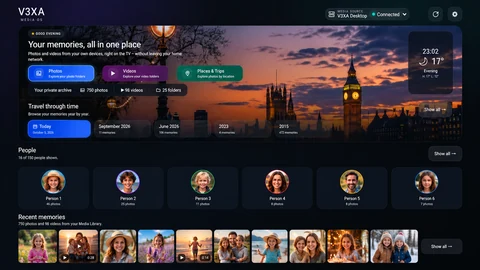
Coming soonFlagship
V3XA Media OS
Your photos, videos and memories on the big screen - from the devices and media sources you already have.
Learn more
V3XA is a software brand building entertainment and personal media experiences for Smart TVs.
 Coming soon
Smart TV software, designed together.
Your photos, videos and memories on the big screen - from the devices and media sources you already have.
Learn more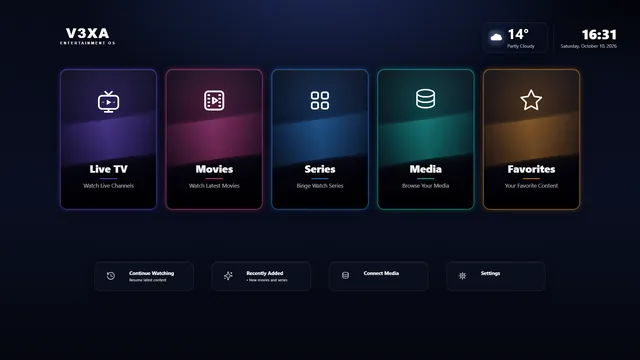
Live TV, Movies & Series
A fast, remote-friendly player for your own live TV, movies and series - with favorites and a program guide.
Learn more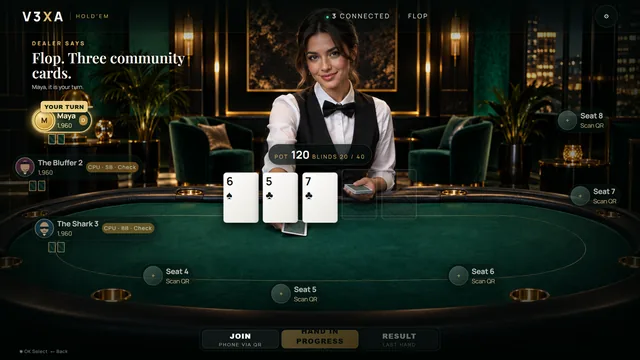
Texas Hold'em around one TV. Everyone plays on their own phone, so private cards stay private.
Learn moreV3XA designs entertainment and personal media software for Smart TVs. Every product is built for the remote control, the living room and the people in it.
Interfaces designed for the remote control and a view from the sofa.
V3XA provides software only. Your photos, videos and playlists remain yours.
Where it fits, your phone helps out: sharing memories, joining a game.
Our support team is happy to help.
V3XA is a media player and device portal only. V3XA does not provide channels, subscriptions, movies, series or audiovisual content. Users must use their own legally authorized playlist and media sources.
V3XA Media OS brings your personal photos, videos and memories together on your TV - from the devices and media sources you already have.
Explore the TV experience. No installation required.
Designed for the big screen and your TV remote.
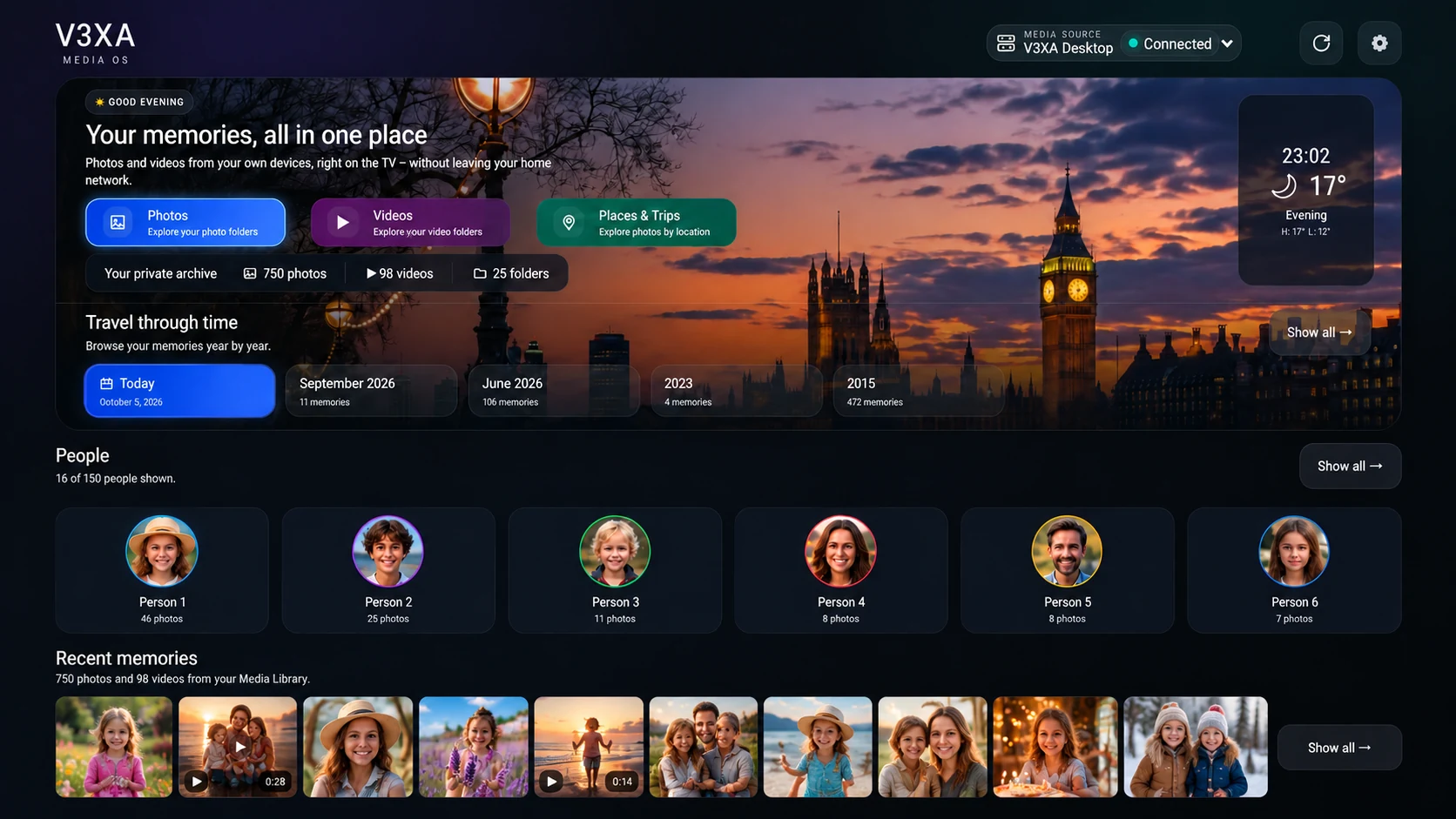
Browse your photo and video folders on the big screen, with a full-screen viewer and smooth video playback.
Your newest photos and videos on the home screen, plus a timeline that lets you travel through the years.
Browse your photos by the people in them and keep your family archive organised.
With V3XA DesktopSee your photos by country and city, based on the location stored in them.
With V3XA DesktopImprove photos right from the viewer - automatic enhancement, brightness, contrast and more.
With V3XA DesktopWhen the TV is idle, Media OS can show your photos as a calm, living screensaver with clock and weather.
Real screens from V3XA Media OS on the TV. The photos in these screenshots are demo images.
Browse your photo folders as album cards, with a clear overview of every folder and how many photos it holds.
Photos organised by the people in them. Open a person to see all their photos, their early years, recent photos and who they appear with.
With V3XA DesktopSee your photos by country and city, based on the location stored in them, then open any place to see its photos.
With V3XA DesktopBrowse your memories year by year and month by month, with the photos from that time right below.
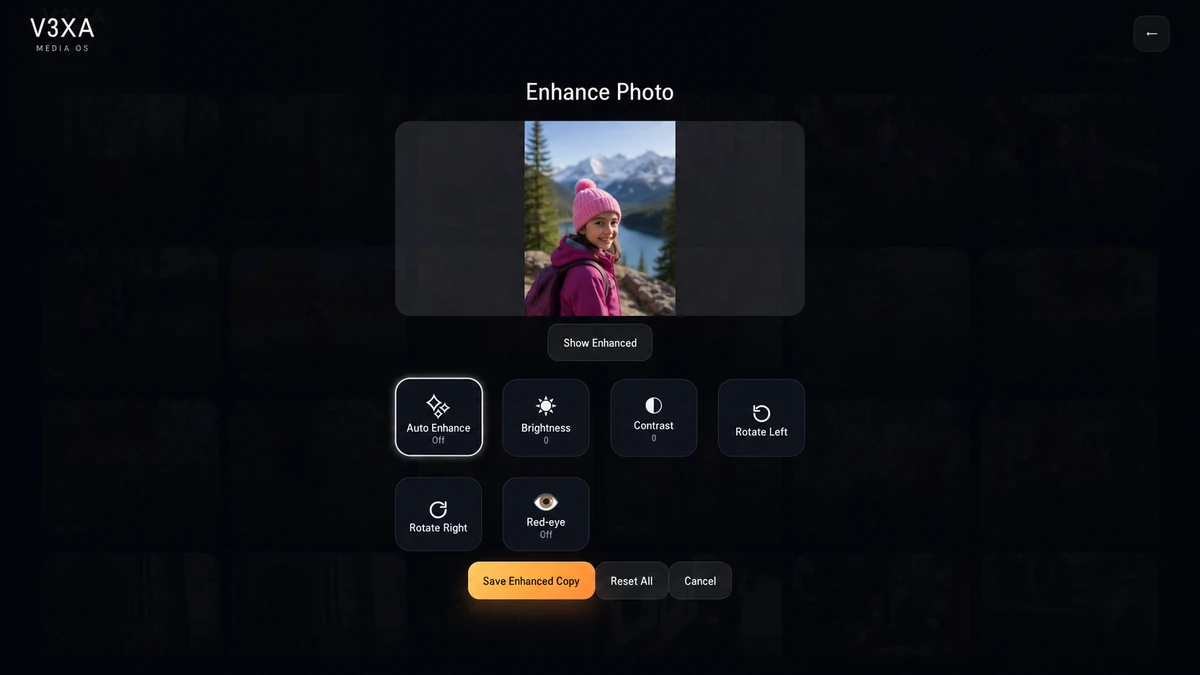
Try Auto Enhance, brightness, contrast, rotation and red-eye on a photo, preview the result and save an enhanced copy. Your original is never changed.
With V3XA Desktop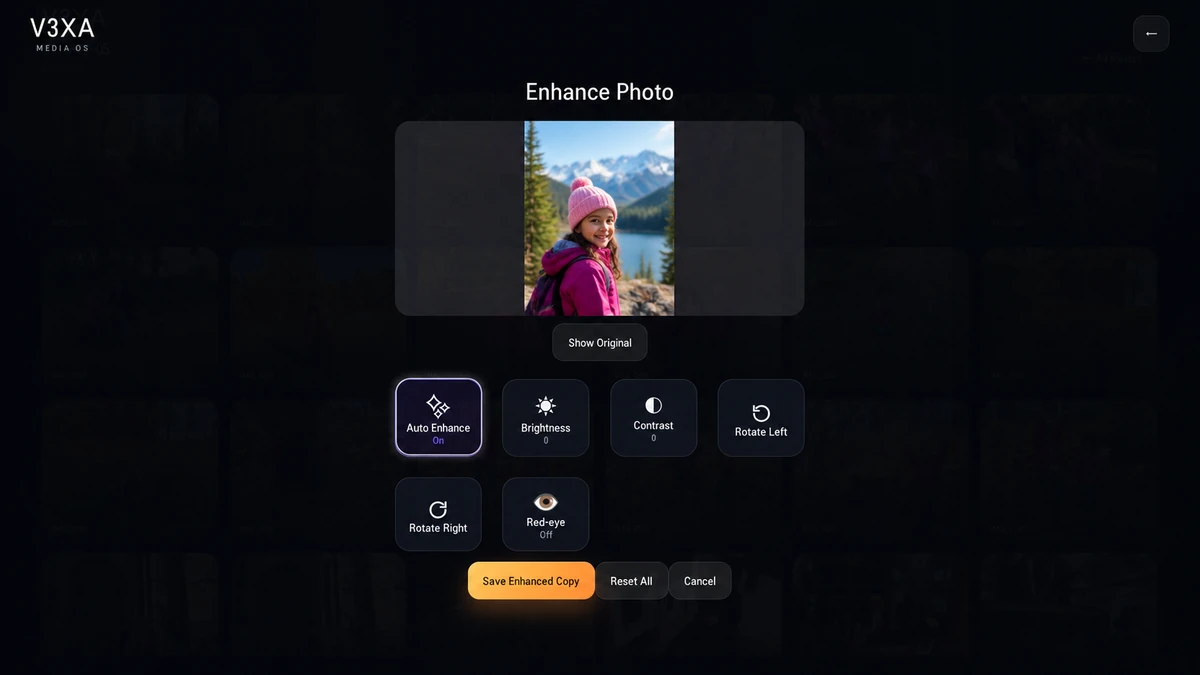
 Before
After
Before
After
V3XA Media OS works with different media sources. Use the ones you have - you do not need all of them.
Switch between your media sources at any time, such as V3XA Desktop on your PC or a phone with Mobile Share. Each source keeps its own library.
Connect a NAS or media server on your home network that supports DLNA / UPnP. V3XA Desktop is not required.
Share selected folders from your Windows PC with your TV over your local network.
Share photos and videos from your phone to the TV over your local network - scan a code on the TV to start.
V3XA Desktop is optional. Media OS works with supported DLNA / UPnP media sources without it, and nothing has to be uploaded to the cloud.
Bring your photos and videos from your PC to V3XA Media OS.
V3XA Desktop is the Windows companion app for Media OS. It shares the folders you choose with your TV over your local network.
The Windows installer is being prepared. Please check back soon or contact support.
Windows may display a SmartScreen warning while V3XA Desktop is awaiting code signing.
Select folders on your Windows PC and make them available to V3XA Media OS.
V3XA Desktop also provides the local processing behind advanced Media OS features such as:
V3XA Media OS is designed to access your personal media from your own devices and supported local media sources. V3XA Desktop shares only the folders you choose, over your local network. Media OS does not require you to upload your photos or videos to the cloud.
Our support team can help with setup, activation and connecting your media.
Live TV, Movies & Series
V3XA Entertainment OS is a fast, remote-friendly player for the M3U and Xtream playlists you already have, built for LG webOS Smart TVs.
Coming soon. V3XA Entertainment OS is not yet available for download or purchase.
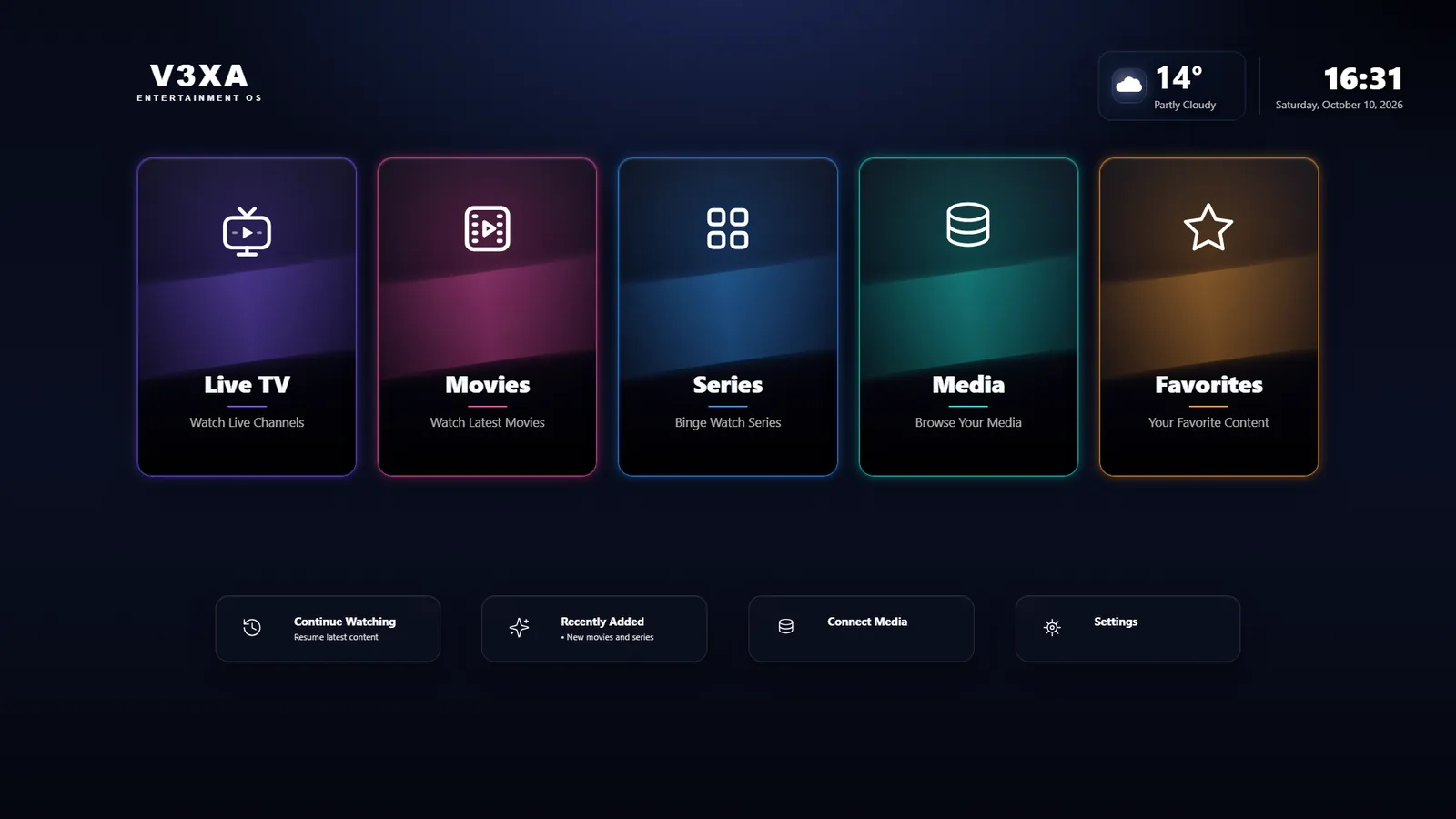
Planned capabilities of the first release.
Browse channels by group and switch quickly with the remote.
Separate sections for movies and series, with posters and detail pages where your playlist provides them.
Keep the channels and titles you watch most one click away.
See what is on now and next when your provider supplies a program guide.
Every screen is built for the arrow keys and OK button of a Smart TV remote.
Connect a NAS or DLNA source to browse your own media from the same dashboard. Availability depends on your setup.
V3XA is a media player and device portal only. V3XA does not provide channels, subscriptions, movies, series or audiovisual content. Users must use their own legally authorized playlist and media sources.
Release date to be announced. There are no downloads or purchases yet. If you have questions, our support team is happy to help.
Gather around the TV. Each player uses their own phone as a private controller.
Coming soon. V3XA Hold'em is not yet available.
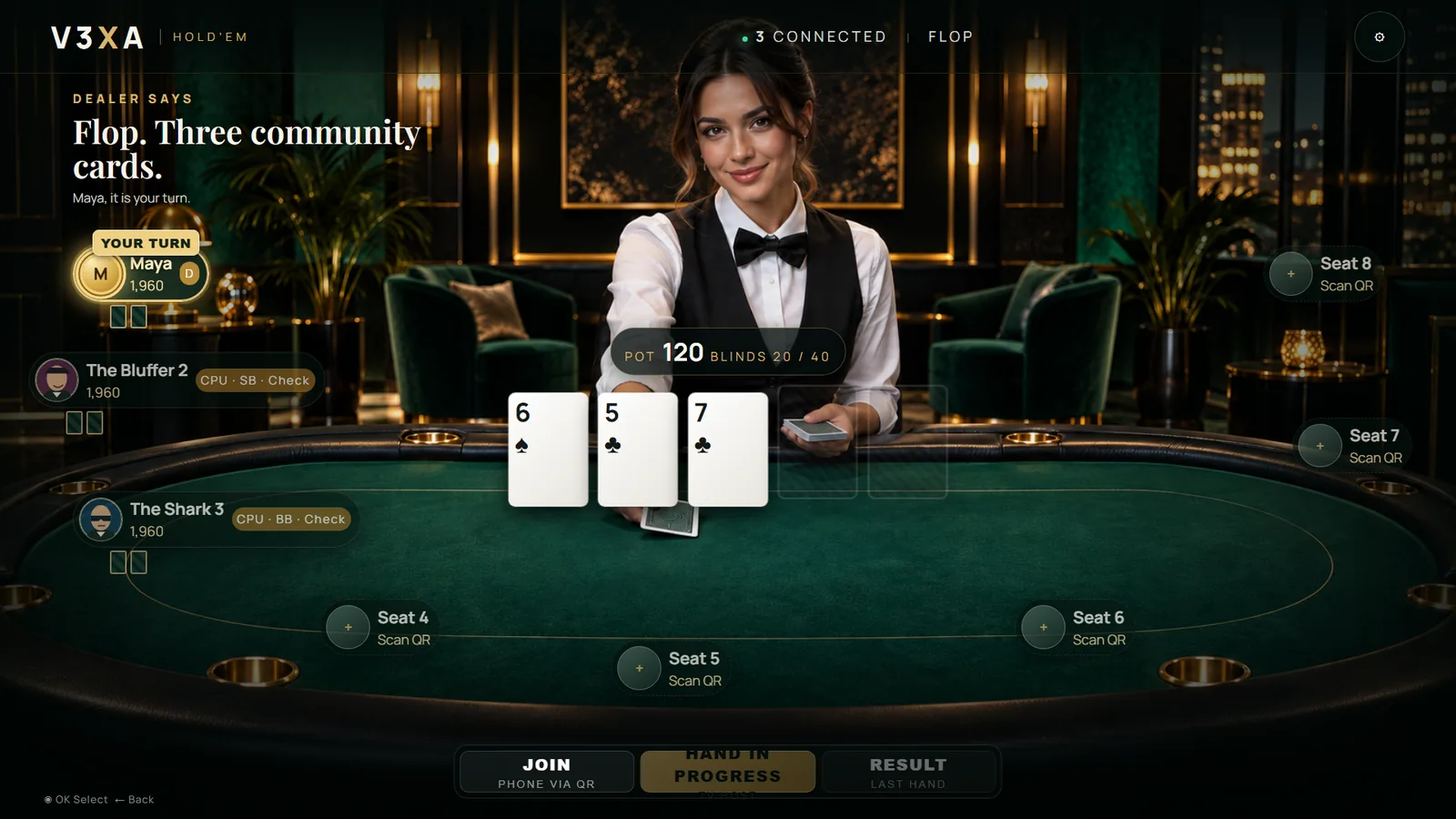
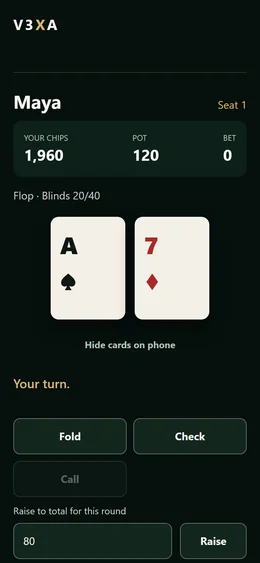
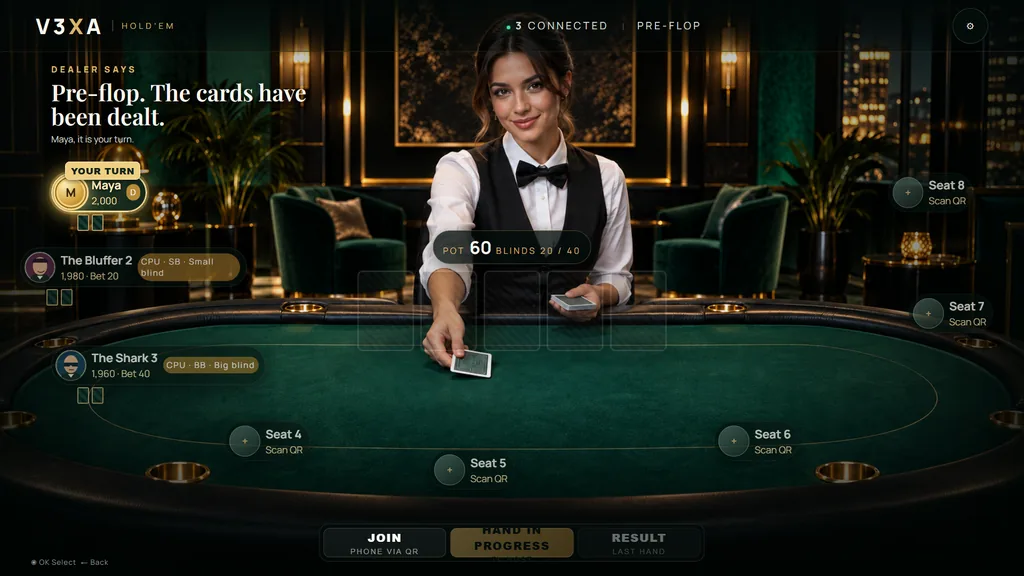
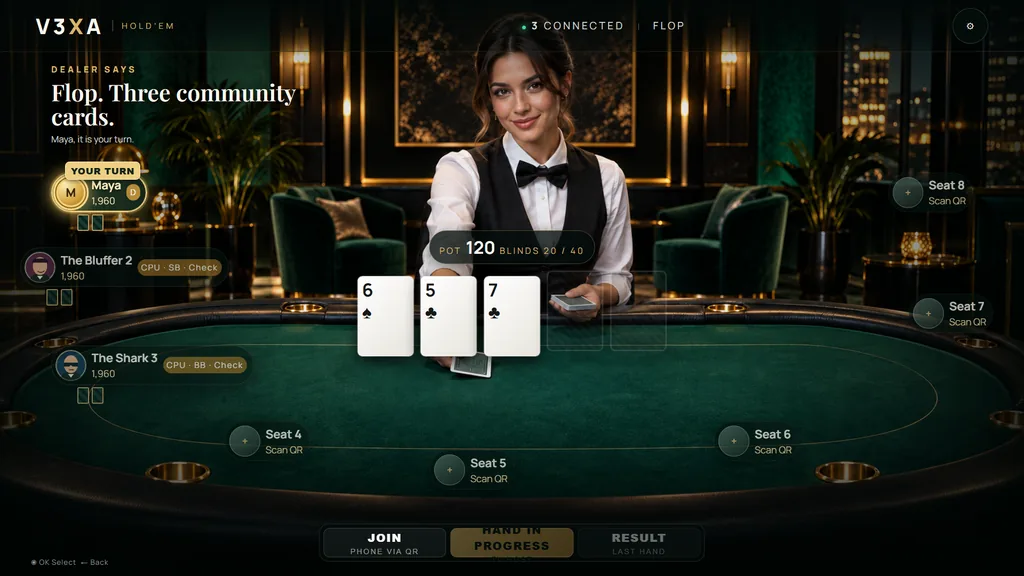
A casino-inspired table on your Smart TV, played from the phones in the room.
The Smart TV shows the table, the dealer, the community cards and the pot for everyone in the room.
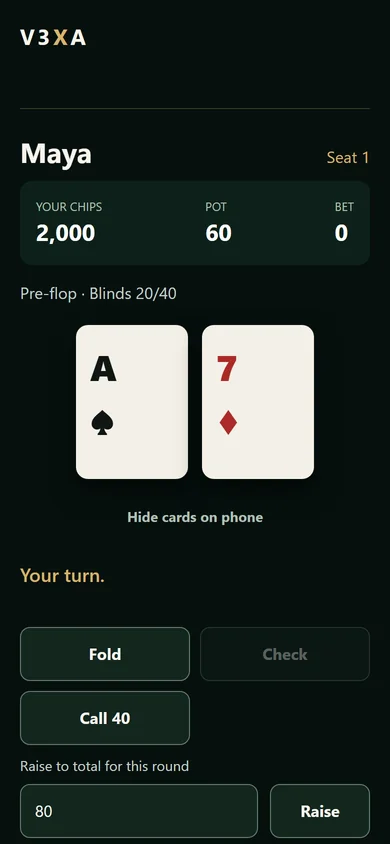
Players join from their phone and play with Fold, Check, Call, Raise and All-in.
Your two cards appear only on your phone, with a Hide cards button for when others are looking.
Up to eight seats at the table. Computer players can fill the empty ones.
A dealer at the table, sound effects and selectable room themes.
A game for friends and family, played with virtual chips.
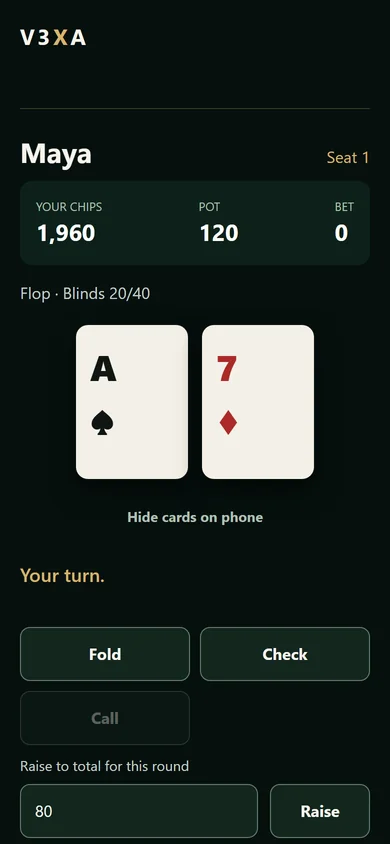
Release date to be announced. There are no downloads or purchases yet. If you have questions, our support team is happy to help.
A short summary of how V3XA handles information.
Your Device ID and licence status (to pair and activate your TV), the playlist address you submit for pairing, and the messages you send through the contact and reseller forms.
V3XA does not provide channels or content and does not receive your photos or videos. Your media stays on your own devices and network.
Messages you send are used only to answer your request.
Questions about privacy: support@v3xa.app
A short summary of the terms for using V3XA software and this website.
V3XA provides software. It does not provide channels, subscriptions, movies, series or other audiovisual content.
You are responsible for using only playlists and media sources that you are legally allowed to use.
Products marked Coming soon are not yet available. Features and availability may change.
For help with setup and activation, contact support@v3xa.app
Use this page before the real portal is connected. It can pair a test playlist, inspect M3U channels, check direct MPG/media links and start a short recording test when FFmpeg is available on the backend.
Enter the unique Device ID shown in the V3XA app. Activation is linked securely to the device on the server, helping prevent repeated trial abuse after reinstall or data reset.
12 months activation for one V3XA device.
One-time activation for one V3XA device.
Use this page for NAS setup guides, app downloads and troubleshooting. The portal does not control your NAS directly; NAS connections are configured inside the V3XA app on your device.
Download app packages, setup instructions and NAS guides. Connect these buttons to the final V3XA files when they are ready.
Download PackagePlaceholder download. Replace with the real V3XA app or guide file later.
Send us your Device ID and explain what you need help with.
Send your request and we will contact you with reseller pricing, activation credits and customer support details.
Sell yearly or lifetime activations using reseller credits.
Help customers with upload, activation and Device ID support.